Analyze your NQ/ES trades without handing over your trading history to another platform.
Import your CSV from NinjaTrader 8 or TradingView, review your trades and turn your own Notion Journal into a dashboard built to show what works, what repeats and what you should avoid.
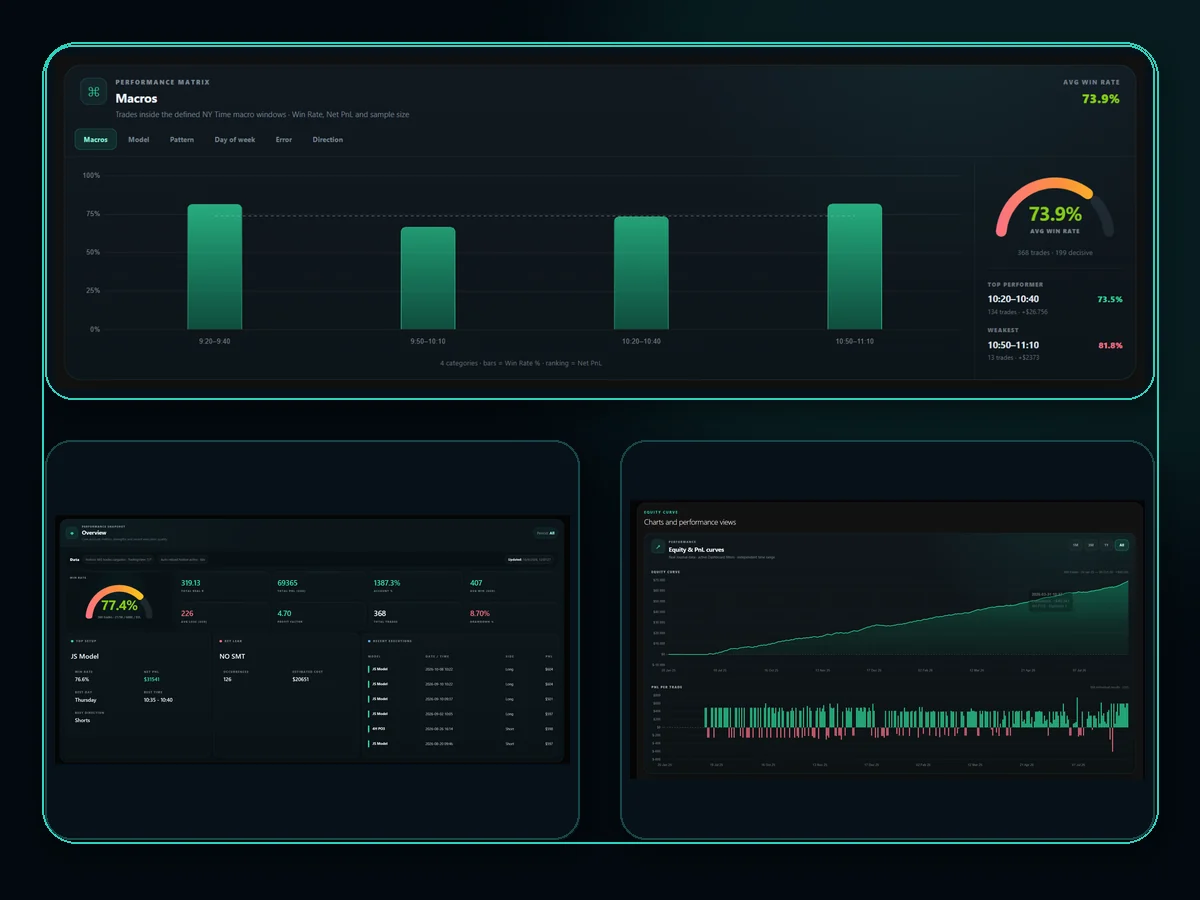
Less platform. More clarity about your trading.
NQ Trades Lab does not try to replace your broker or lock your trading into another ecosystem. It focuses on analyzing your own data with the least access possible.
Your trading history does not live on our servers
The CSV is processed locally in your browser. NQ Trades Lab does not maintain its own database containing your trading history.
Do not retype every trade
Export from NinjaTrader 8 or TradingView, review the detected trades and complete only the classification you need.
Built to analyze NQ/ES futures
Metrics and filters to study models, accounts, days, time windows, direction and trading errors.
Your Journal stays under your control
Your Journal stays in the Notion workspace you authorize instead of being locked inside a generic platform database.
See what is working. And understand why.
Each view answers a specific question about your trading. Filter your own trades and compare context, execution, consistency and results without leaving your Journal.
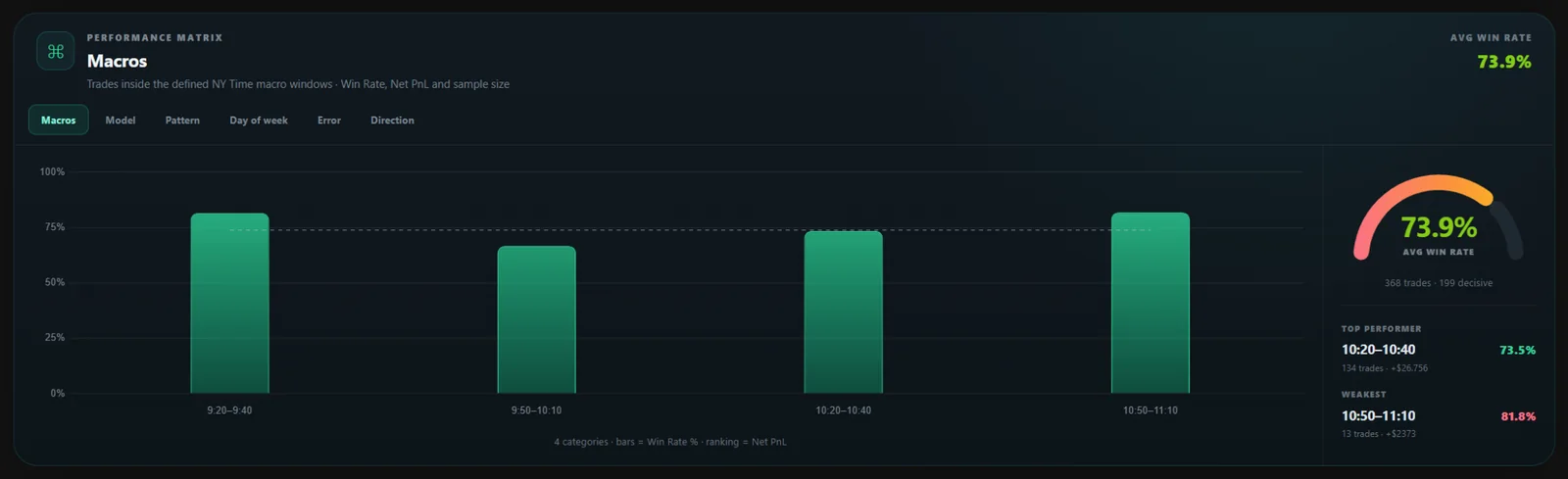
Which context works best?
Compare macros, models, patterns, days, errors and direction. The ranking combines Win Rate, Net PnL and sample size.
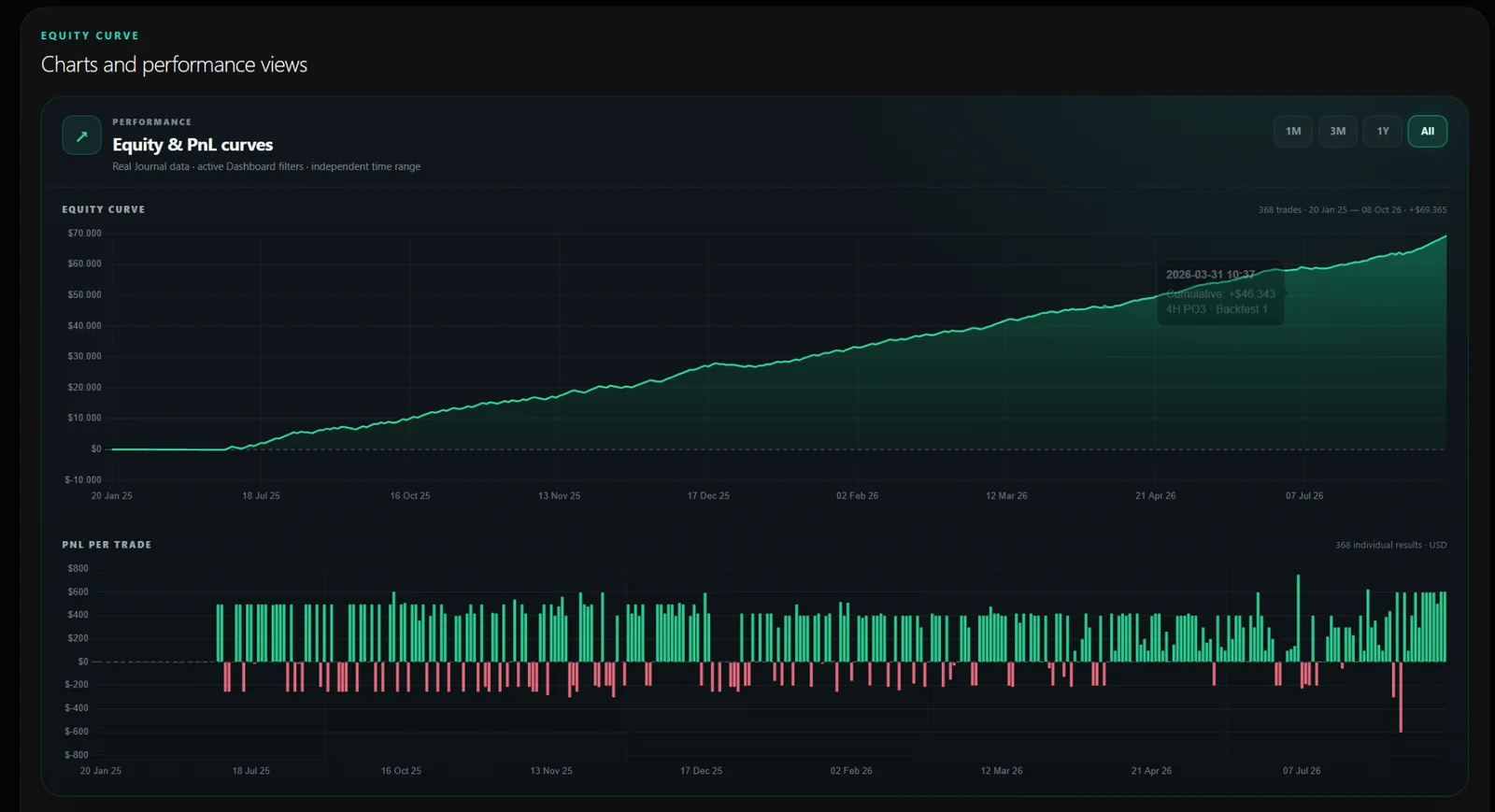
How is your curve really evolving?
Track cumulative equity and review each trade’s PnL across 1M, 3M, 1Y and All ranges.
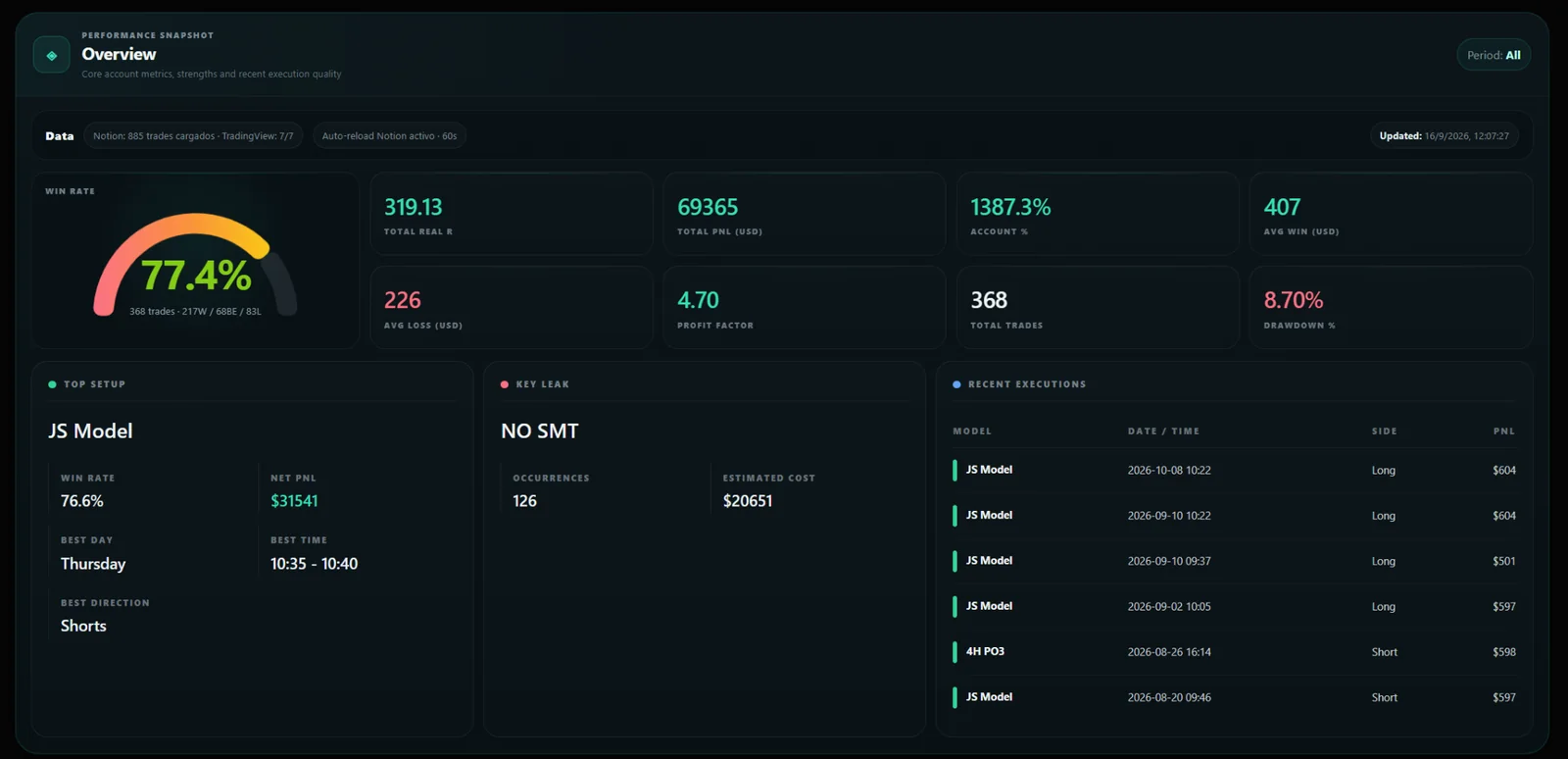
What does the big picture look like?
Win Rate, Profit Factor, PnL, Avg Win/Loss, Drawdown, Top Setup, Key Leak and recent executions in one view.
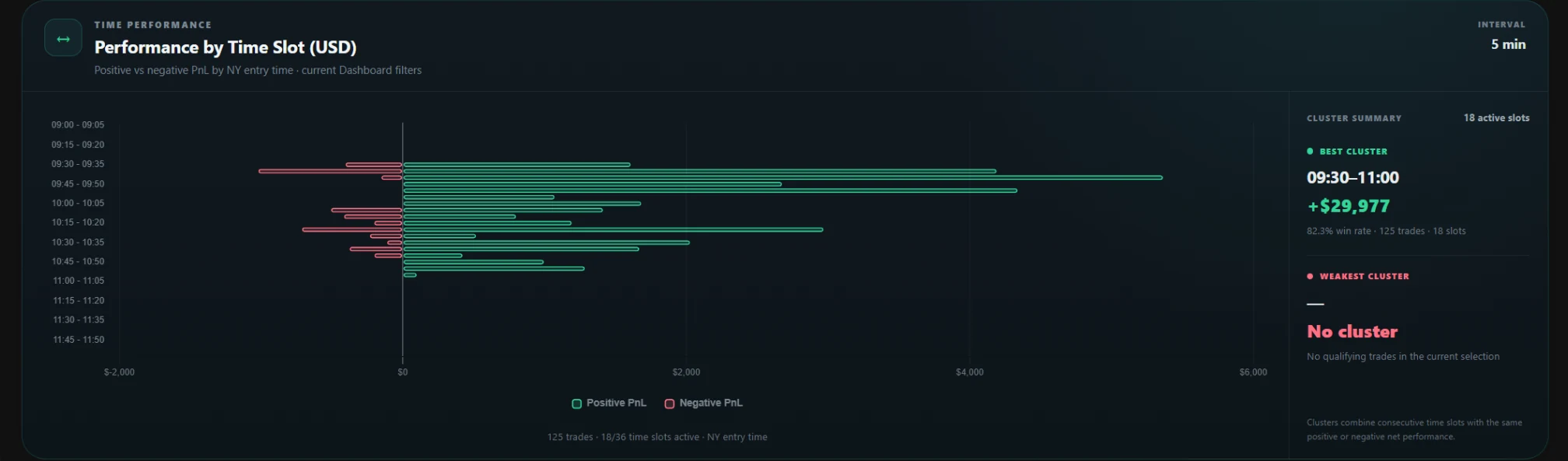
Which hours perform best for you?
Analyze NY Time in 5-minute intervals and detect time clusters where your strongest or weakest performance is concentrated.
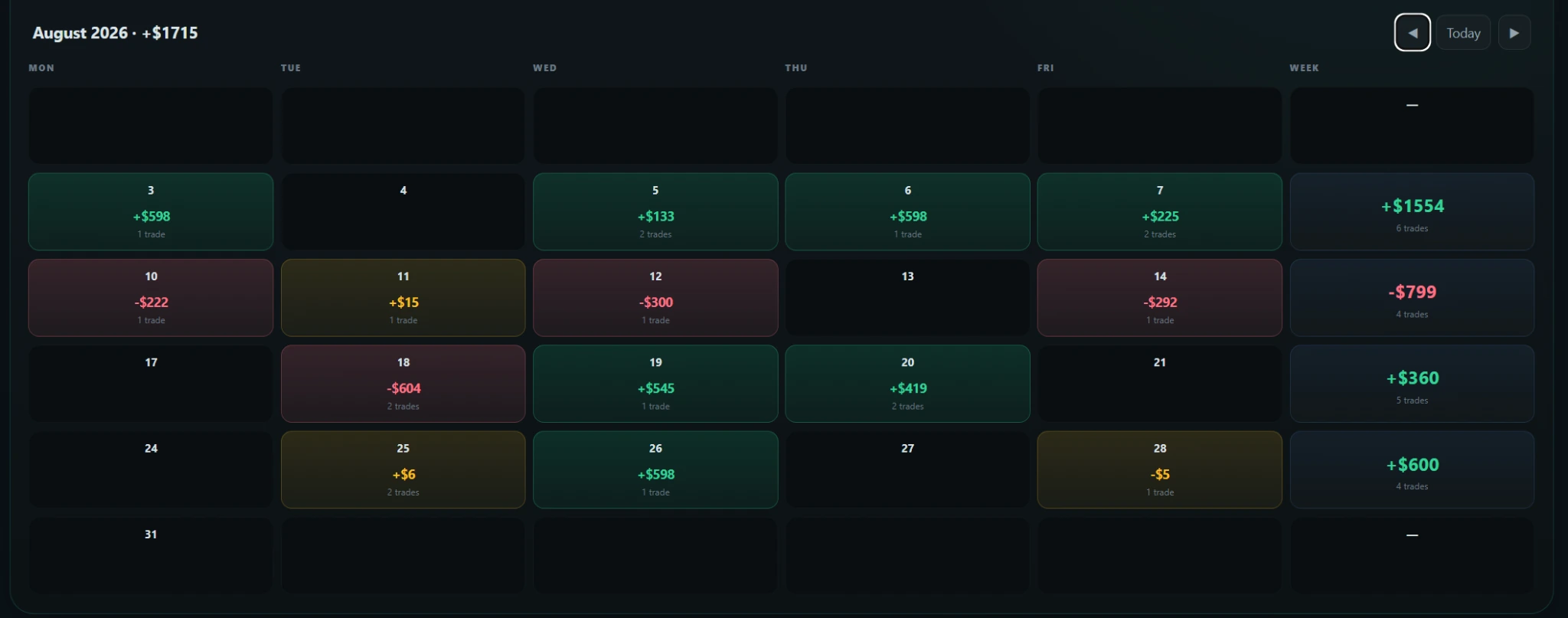
How consistent are you?
View your green, red and breakeven days to detect real consistency over time.
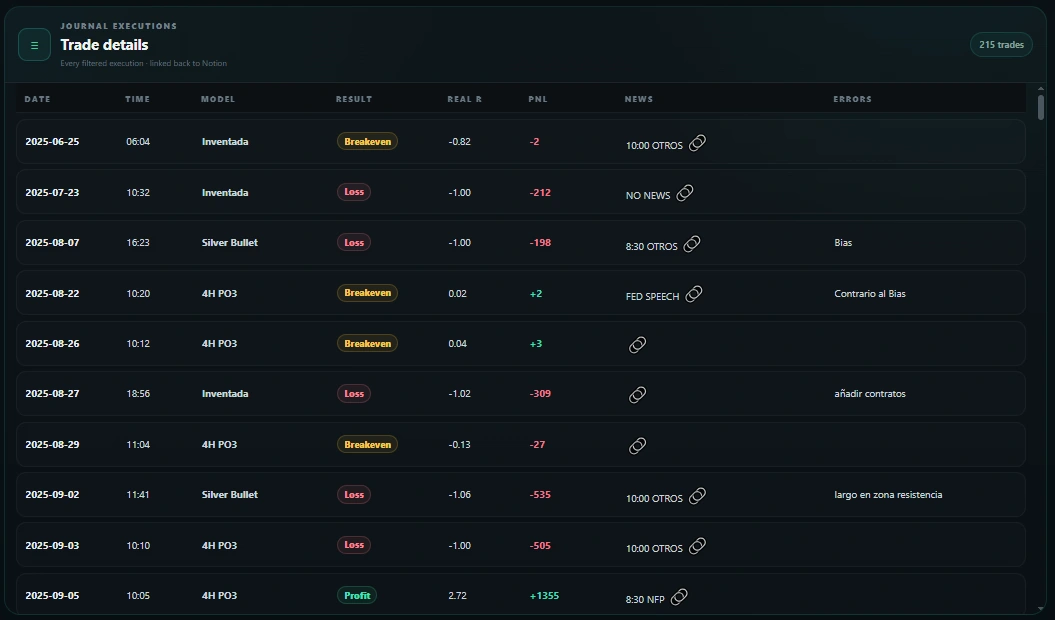
Which trades explain the metric?
Drill down from the chart to each trade: date, time, model, result, R, PnL, news and errors.
From your Journal to the Dashboard in three steps.
Your Journal stays in Notion. NQ Trades Lab adds an analytics layer over your own data without forcing you to rebuild your trading process on another platform.
Track your process in Notion
Use the template or your connected Journal to keep models, errors and context.
Import your executions
Export your CSV from NinjaTrader 8 or TradingView and review detected trades before adding them.
Analyze what repeats
The Dashboard connects performance, context, time, errors, direction and consistency so you can review your trading with data.
You do not need another closed ecosystem to understand your trades.
If you need replays, backtesting, signals, automatic connections to hundreds of brokers or a multi-asset suite, broader tools exist. NQ Trades Lab takes a different approach.
All-in-one cloud journal
- Your history is stored inside the platform
- More connections and permissions over other accounts
- Many features for different markets
- The Journal depends on the provider
- More product layers, plans and extras
NQ Trades Lab
- CSV processed locally in the browser
- No broker credentials
- CSV import without retyping every trade
- Journal in your own Notion workspace
- Analytics focused on NQ/ES futures
Privacy is not just legal copy. It is part of the workflow.
NQ Trades Lab does not need to connect to your broker or store its own copy of your history to calculate the dashboard.
Read the Privacy Policy →Test the full workflow before deciding.
The Free plan lets you test with your own data whether CSV import, Notion and the dashboard fit your routine.
Up to 100 trades. No card required. Dashboard included.
Start freeUnlimited trades and imports while your subscription is active.
View Monthly planThe same features at a lower annual cost.
View Annual planClear answers for traders and search engines.
These questions explain what NQ Trades Lab is, what data it uses and who it is designed for.
What is NQ Trades Lab?
NQ Trades Lab is a Trading Journal and analytics dashboard focused mainly on NQ/ES futures traders. It turns trading history into metrics, filters, charts and analysis to understand which models, times, days, accounts and behaviors are working.
Does NQ Trades Lab store my trading history?
NQ Trades Lab does not store your trading history on its own servers. The CSV is processed locally in your browser. When you use Notion, your Journal stays in the workspace you authorize.
Do I need to connect my broker?
No. NQ Trades Lab does not need your broker credentials. The supported workflow uses CSV files exported from NinjaTrader 8 or TradingView.
Do I have to enter every trade manually?
No. You can import your history by CSV from NinjaTrader 8 or TradingView, review detected trades and complete only the classification you need before saving them to your Journal.
Do I need Notion?
Yes. The current workflow uses Notion as each user’s personal Journal. NQ Trades Lab connects only to the workspace you authorize and works with the selected Journal.
Which metrics can I analyze?
The dashboard includes Profit Factor, win rate by trades and days, average win/loss, drawdown, equity curve and analysis by model, account, day of week, time window, direction and errors, plus calendar and trade details.
Can I try NQ Trades Lab for free?
Yes. The Free plan lets you import up to 100 trades without a card. Unlimited access is available on Monthly and Annual plans.
Does NQ Trades Lab provide signals or financial advice?
No. NQ Trades Lab is an informational, analytical and educational tool. It does not provide trading signals, investment recommendations or financial advice.
Your trading already generates data. Make it tell you something useful.
Start with up to 100 trades, no card required, and use your own trading to see whether NQ Trades Lab helps you understand more clearly what to repeat and what to avoid.