Notion trading journal: a free template that fills itself from your CSV
Notion is a great journal. It is not an analytics tool.
Most Notion trading journal templates ask you to type every trade and maintain formulas and rollups for your stats. They break when you rename a property, and they never tell you which hour or setup is costing you money. NQ Trades Lab keeps your journal in Notion and adds the two parts Notion does not do: importing and analyzing.
Copied into your workspace while you connect
When you connect Notion, choose «Use a template provided by the developer» and the journal is duplicated and linked automatically. Already added it from the Marketplace? Choose «Select pages» and pick it.
Trades in, without typing
Import the CSV from NinjaTrader 8 or the Order history from TradingView. Partial exits are grouped into one operation, duplicates are skipped and you can undo the last import.
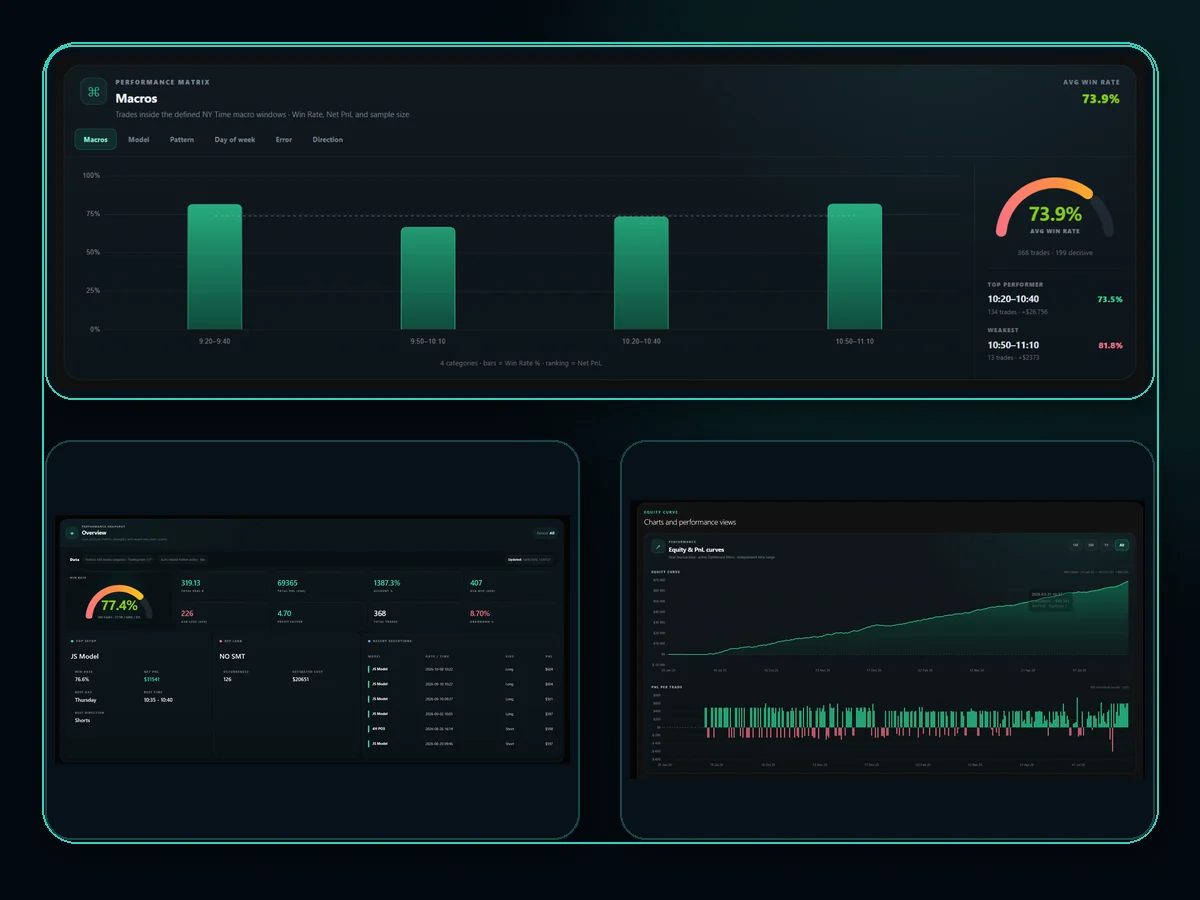
Analytics Notion cannot build
Win rate by trade and by day, Profit Factor, drawdown, equity curve, a performance matrix by model, pattern, weekday and error, a PnL calendar and 5-minute New York time slots.
What is inside the template
Everything lives in your own Notion workspace; edit it like any other page.
One page per operation with date, New York time, account, model, direction, result, R, PnL, news and errors. Each page opens with a review template for notes and screenshots.
Keep evaluation, funded and personal accounts apart and filter the dashboard by any of them.
A short setup guide inside Notion.
Create your account
Free, no card needed.
Connect Notion
The template is copied and linked in the same step.
Import your CSV
NinjaTrader 8 or TradingView; set account and model for each operation.
Analyze
Open the dashboard and review your metrics, setups and time slots.
NQ Trades Lab vs a regular Notion trading journal template
| Typical Notion template | NQ Trades Lab | |
|---|---|---|
| Adding trades | Typed by hand | CSV import from NinjaTrader 8 or TradingView |
| Partial exits (TP1/TP2) | One row each, merged by hand | Grouped into one operation |
| Statistics | Formulas you maintain | Dashboard calculated for you |
| Best hours | Not available | 5-minute New York time slots |
| Where your data lives | Your Notion | Your Notion |
| Price | Free | Free up to 100 trades; €11.90/month or €99/year unlimited |
Frequently asked questions
Answers about importing, your Journal and reviewing your trades.
Is the Notion template free?
Yes. The template is free on the Notion Marketplace and is copied for you when you connect. The dashboard and CSV import are free up to 100 trades; the monthly (€11.90) and annual (€99) plans remove the limit.
Do I need a paid Notion plan?
No. A free Notion account is enough for a personal journal.
Can I use the template I already added from the Marketplace?
Yes. When connecting, choose «Select pages» and pick your Journal instead of copying a new one.
Which platforms and markets are supported?
CSV exports from NinjaTrader 8 and TradingView, with analytics built for futures such as NQ, MNQ, ES and MES.
Does NQ Trades Lab store my trades?
No. The CSV is processed in your browser and the trades are saved in your own Notion Journal. NQ Trades Lab only accesses the pages you authorize.
Your Notion journal, with the analytics it was missing
Create a free account, connect Notion and import your first CSV today.
★ Also on the Notion Marketplace: see the free template →
An analytics and educational tool. It does not provide signals or financial advice.