Turn your Journal into decisions.
NQ Trades Lab organizes your NQ/ES futures trades so you can analyze results, context, model, time, direction and errors without getting lost in spreadsheets.
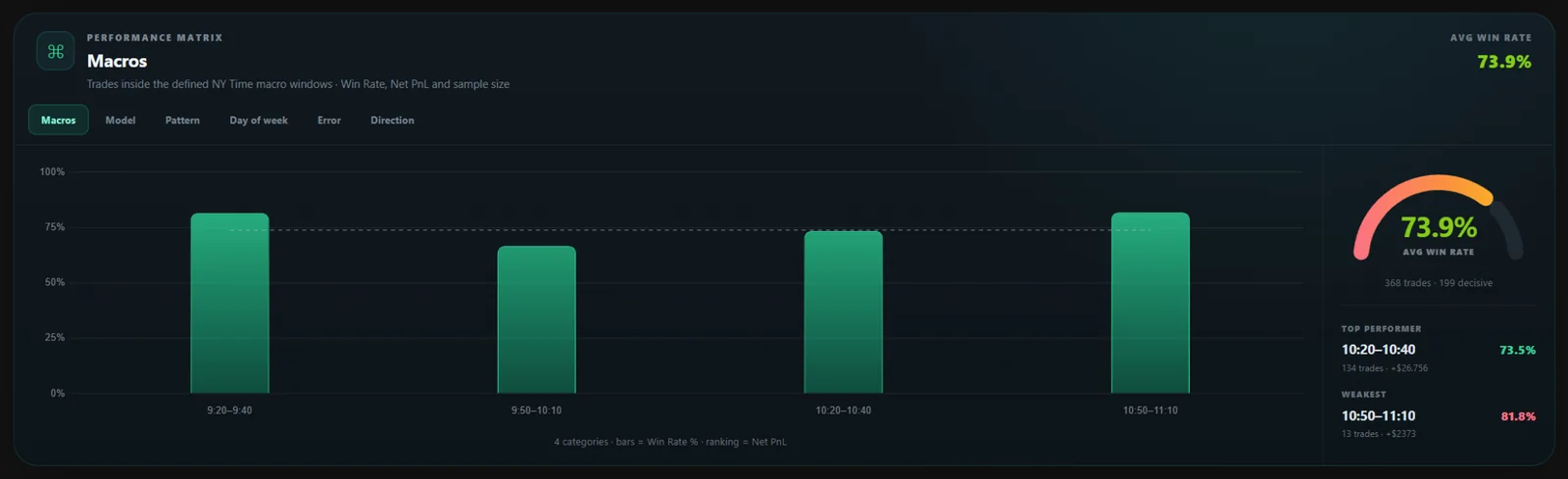
The metrics already built into the dashboard.
This page reflects the current product: no filler metrics and no future features presented as if they already existed.
Results and execution quality
Review Win Rate, W/BE/L, Profit Factor, Average Win and Average Loss within the selected period and filters.
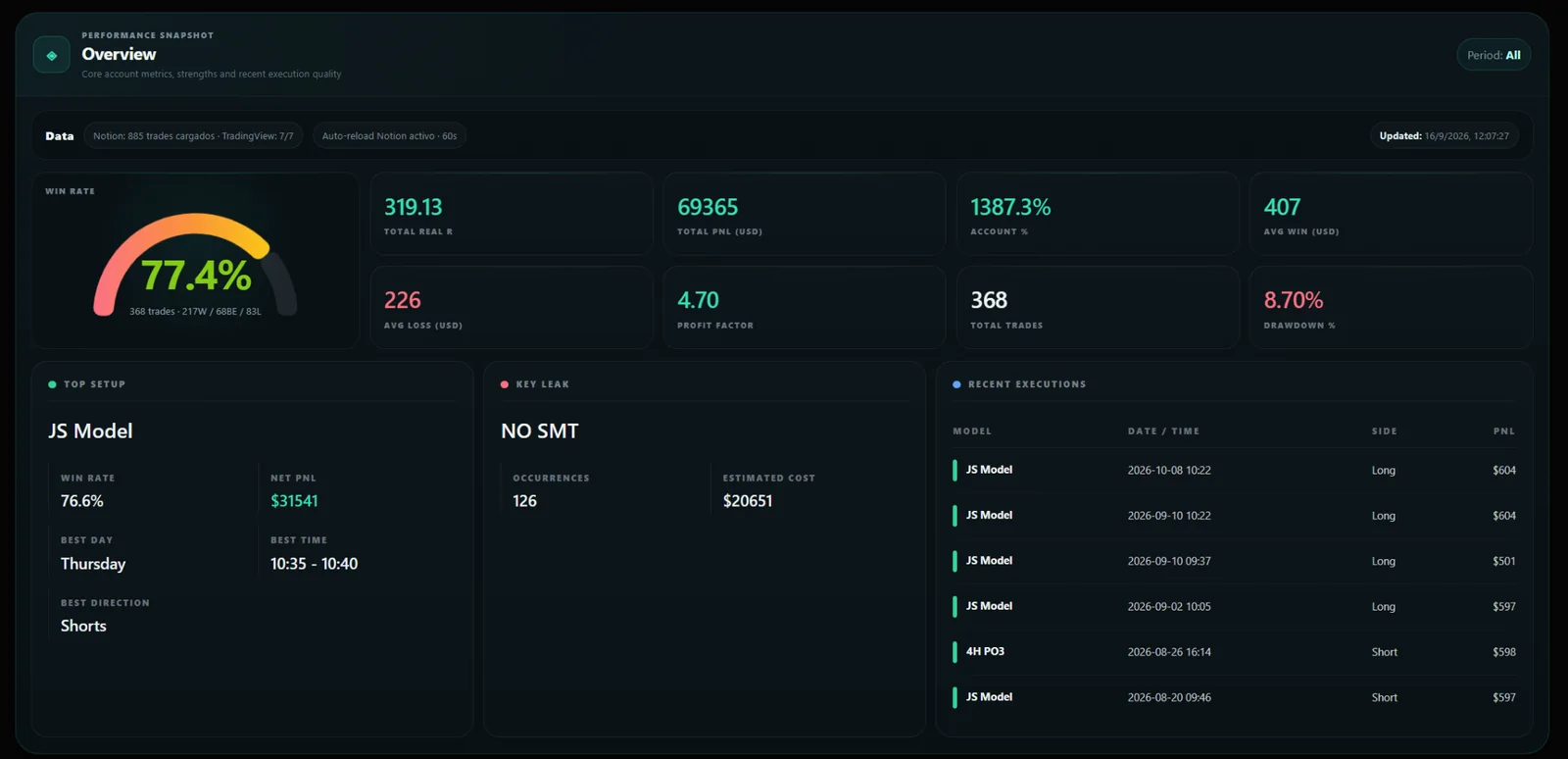
Find where your edge is
Compare Macros, Model, Pattern, Day of week, Error and Direction without leaving the same view.
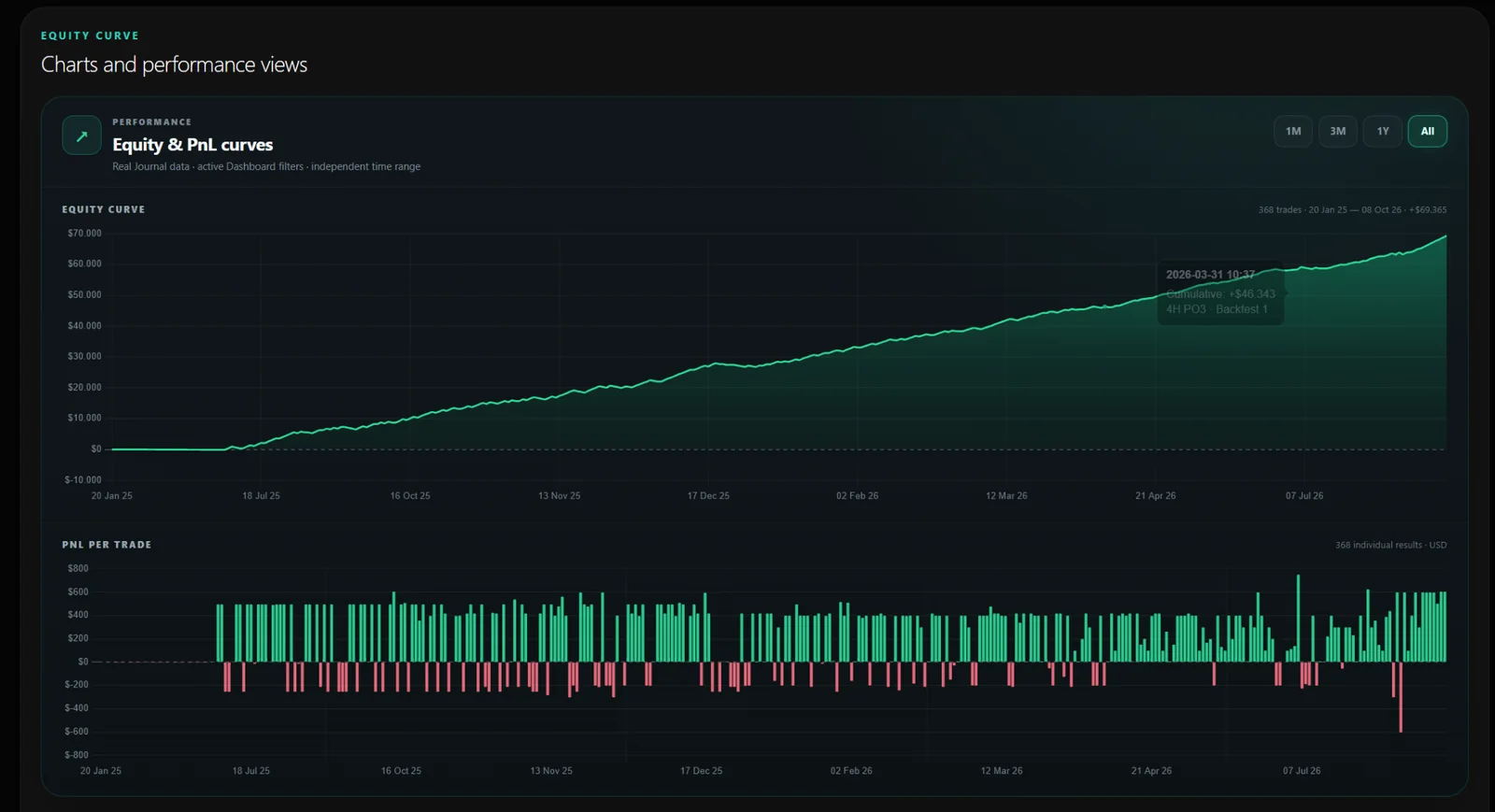
Cumulative curve + result per trade
Switch between 1M, 3M, 1Y and All and review equity progression alongside the individual PnL of each trade.
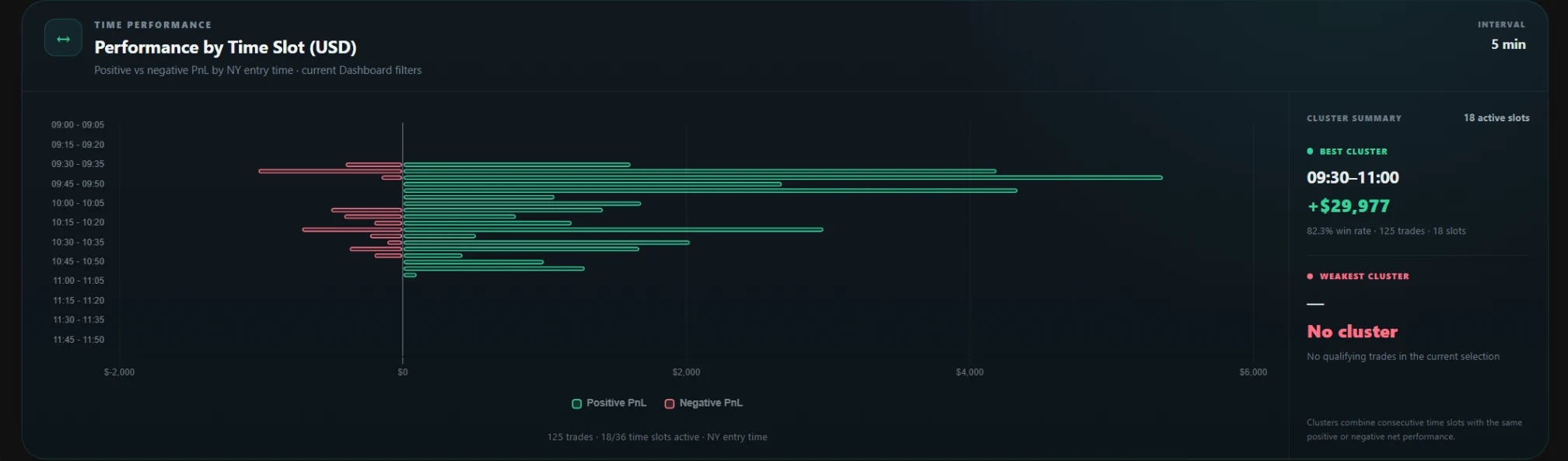
5-minute resolution
Identify performance windows and switch between Asia, London, NY or All to study when you trade best.
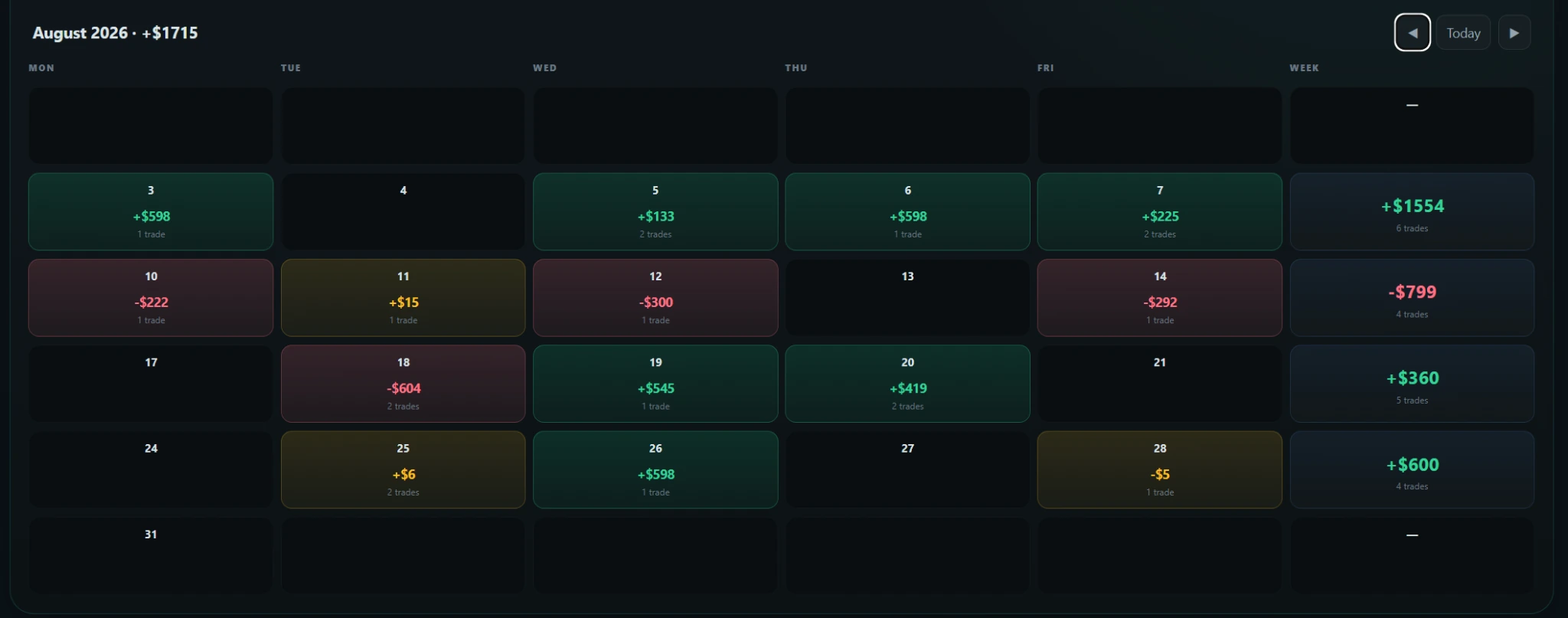
From a single day to the heatmap
Use the classic 1M view or switch to 3M, 1Y and All to detect clusters of results and review Average Win / Loss.
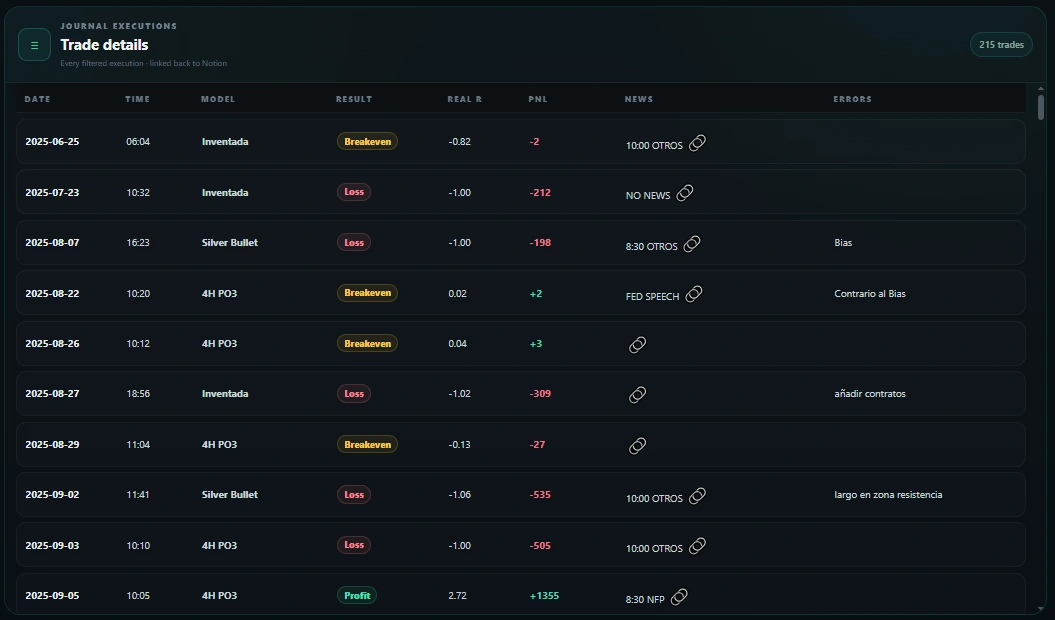
Go from the chart back to the trade
When a metric catches your attention, drill down into the trades that are creating that result.
Analyze the same period from different angles.
The selected period determines the available models and accounts, so each filter reflects only the data that actually belongs to that window.
From broker export to analysis in three steps.
The goal is to reduce manual work and keep the Journal as the source of context for each trade.
Import
Export your CSV from NinjaTrader 8 or TradingView and review the trades before saving them.
Add context
Assign account, model and the context you use in your Notion Journal.
Analyze
Use filters, matrices, curves, calendar and trade details to understand what is happening.
Your data stays under your control.
NQ Trades Lab is designed to work with your Journal and process the CSV in your browser, reducing the need to store your trading history in a dashboard-owned database.
Test the full workflow with your own trades.
The Free plan includes up to 100 trades so you can see how the dashboard fits your process before moving to unlimited access.