From CSV to your dashboard, without re-entering every trade.
NQ Trades Lab connects your NinjaTrader 8 or TradingView history with your Notion Journal and turns those data into an analytics dashboard for reviewing process, context and performance.
Five steps, with control before anything is written to Notion.
The import flow lets you review what will be saved, detect duplicates and preserve the context of each trade.
Export
Generate the CSV from NinjaTrader 8 or TradingView.
Import
Open Import trades and upload the file. Trades are detected before anything is written to your Journal.
Review duplicates
The importer compares trades to avoid saving operations that already exist.
Add context
Assign the correct account and model before saving.
Save and analyze
Selected trades are sent to the authorized Journal and the dashboard updates its metrics.
The import is not a black box.
You can check what the file recognized and add the context that does not come from the broker.
The CSV is processed in your browser.
The architecture is designed to reduce the need to store your trading history in an NQ Trades Lab database. The Notion integration uses only the workspace and Journal you authorize.
Move from an individual trade to the pattern.
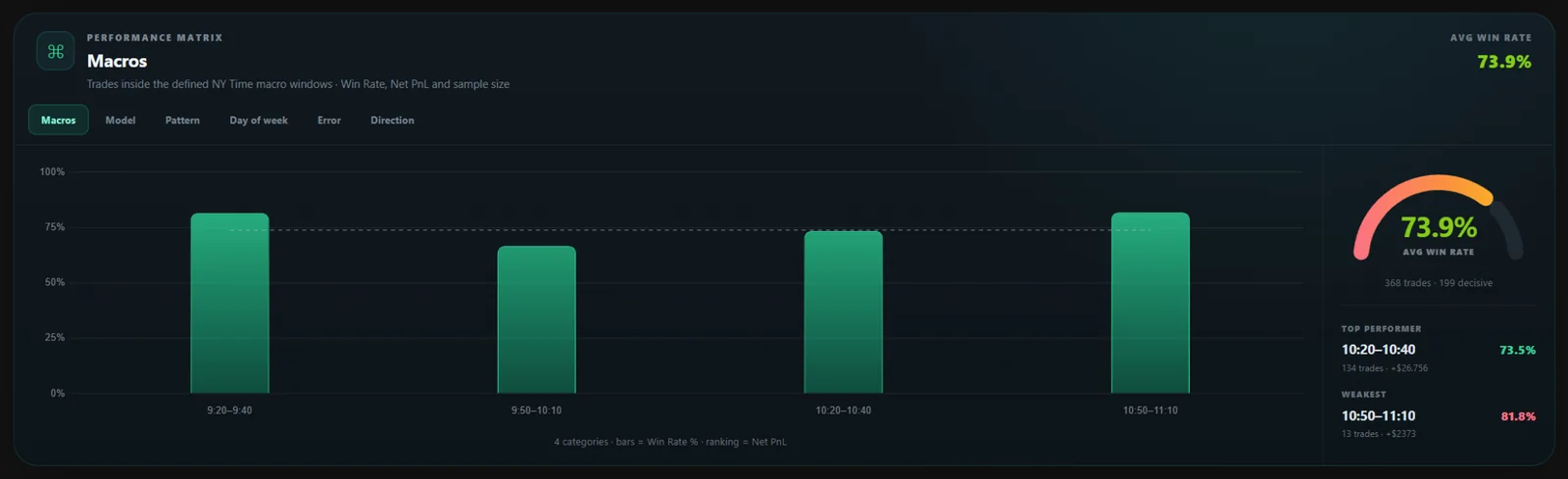
With your Journal updated, you can analyze models, accounts, time windows, direction, errors and performance from the same dashboard.
Test the complete workflow with your own trades.
The Free plan includes up to 100 trades so you can validate the process before moving to unlimited access.